Most businesses check their local rankings from one spot - usually their office address - and assume those results apply everywhere. That single data point misses how real customers in different neighborhoods actually experience search results.
Someone searching "emergency plumber" from a house near the Riverside district gets different Google results than someone five miles away near the Oakwood subdivision. To truly see ranking performance across a metro area, businesses and agencies need to map out multiple locations on a rank map.
- 01What Is a Rank Map and How Does It Work for Multiple Locations
- 02Step-by-Step Process to Map Out Multiple Locations on a Rank Map
- 03Reading and Interpreting Your Multi-Location Rank Map Results
- 04How Agencies Use Rank Maps to Manage Clients Across Multiple Locations
- 05Common Mistakes When Mapping Multiple Locations on a Rank Map
- 06How to Improve Rankings at Weak Grid Points After Mapping Multiple Locations
- 07Tools That Make It Easy to Map Out Multiple Locations on a Rank Map
- 08Final Thoughts
- 09Frequently Asked Questions About Mapping Multiple Locations on a Rank Map
What Is a Rank Map and How Does It Work for Multiple Locations
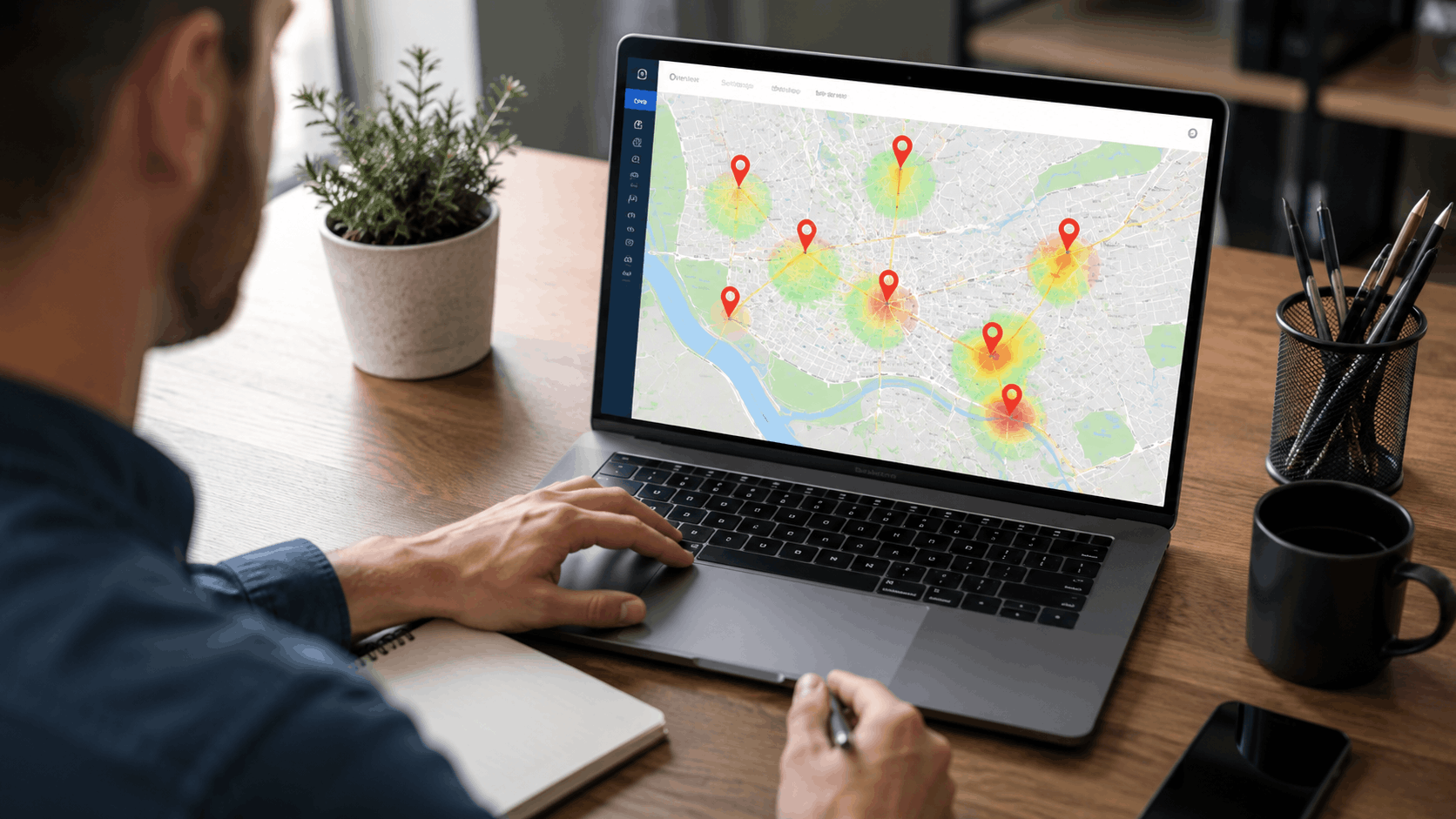
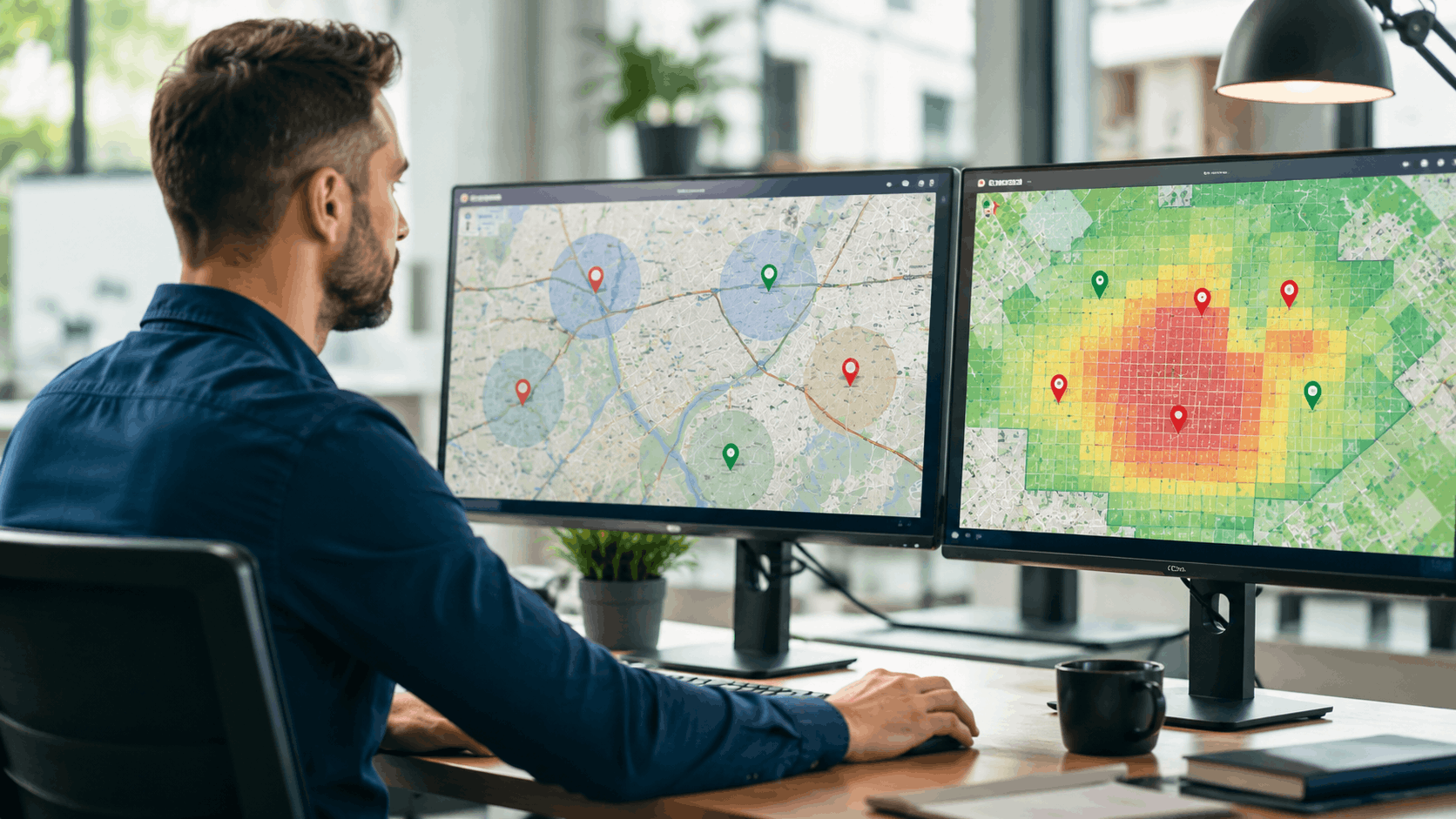
A rank map - sometimes called a geo-grid or local heatmap - is a visual grid laid over a geographic area. Each point on the grid shows where a business ranks in Google's local results from that specific spot. Think of it like checking cell signal strength block by block across a neighborhood. Some corners get five bars, others barely get one.
Traditional rank checkers pull results from a single centroid, usually the center of a city or a zip code. That gives one number - say, "#3 for plumber in Austin." But a rank map might show that the business is #1 near the downtown corridor on Congress Avenue and #14 out near the Lakeline Mall area. The difference matters when customers are spread across both zones.
| Feature | Traditional Rank Checker | Grid-Based Rank Map |
|---|---|---|
| Search simulation point | Single city centroid | Multiple points across a grid |
| Geographic detail | One ranking per keyword | Dozens to hundreds of rankings per keyword |
| Competitor visibility | Limited | Shows competitor strength at each grid point |
| Best for | Quick snapshot | Multi-location businesses and agencies |
How Grid Points Simulate Real Searches Across a Service Area
Each grid point on a rank map simulates a Google search from that exact latitude and longitude. Someone standing on Main Street near the downtown square gets different local pack results than someone three miles away near the highway corridor off Route 35. The rank map captures this variation by running a search from every point on the grid.
Grid density affects accuracy. A 5x5 grid gives 25 data points - useful for a quick look. A 13x13 grid gives 169 data points and reveals much finer patterns, like a ranking drop-off happening right at the edge of a specific neighborhood. Denser grids cost more credits in most tools but deliver sharper insights for competitive markets.
Single Location Tracking vs. Multi-Location Rank Mapping
Tracking a single location gives a decent picture of how one storefront or office shows up in its immediate area. But businesses with two, five, or twenty locations face a different challenge. A plumber with a shop in the Riverside district might rank well within a two-mile radius of downtown but drop off completely near the Oakwood subdivision where a competitor dominates.
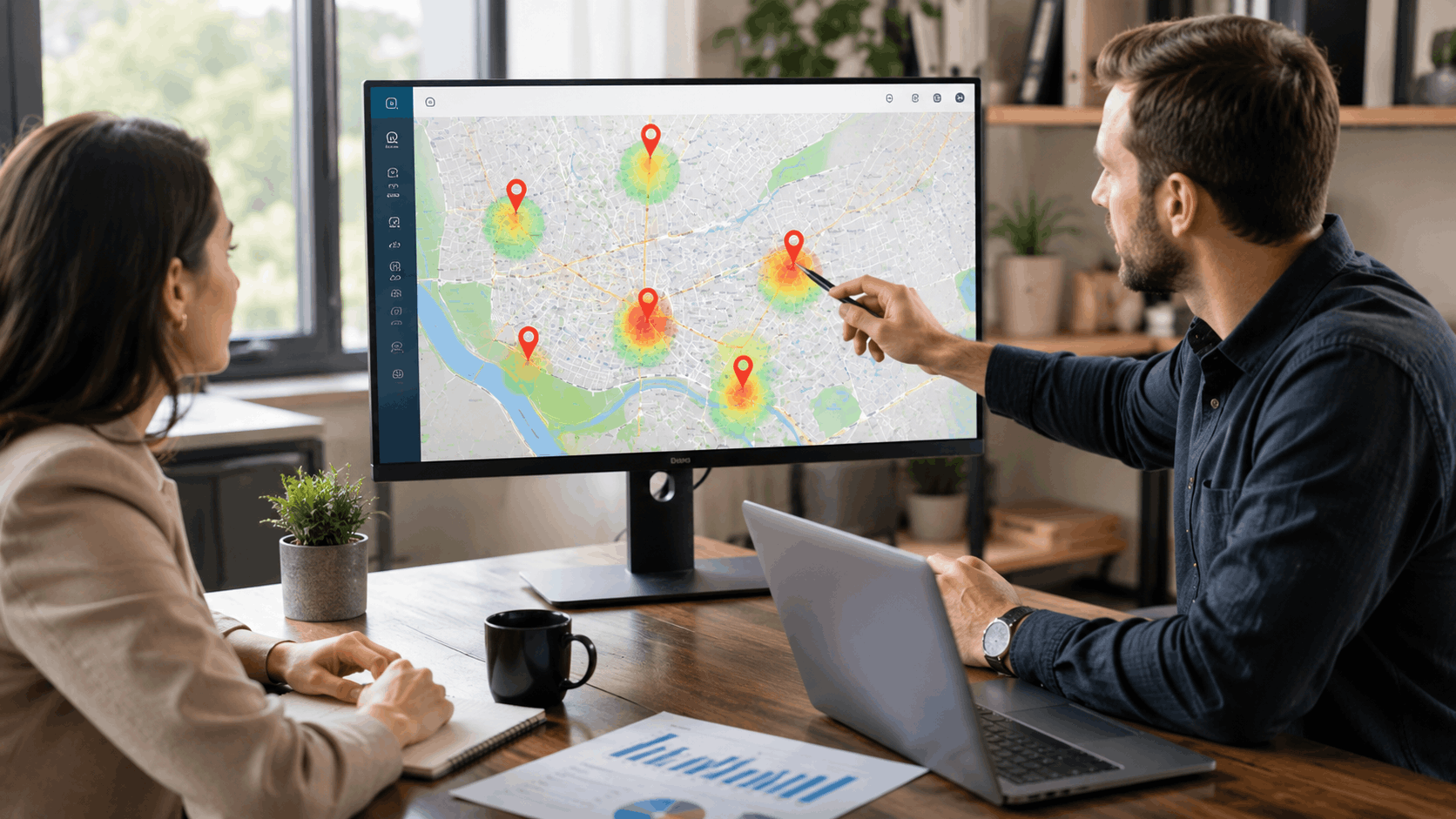
Multi-location rank mapping runs separate grids for each location and lets the business see all of them in one view. This reveals blind spots that single-location tracking simply cannot catch. When an HVAC company notices strong rankings near its Elm Street location but poor visibility around its Westfield branch, that data drives specific action - not guesswork.
Common Rank Map Metrics to Pay Attention To
Average rank shows the mean position across all grid points for a given keyword. If the average is 4.2, the business appears near the top of the local pack on most of the grid.
Rank distribution breaks down how many grid points fall into each ranking position. Twenty points at #1, ten at #5, and fifteen at #15+ tells a very different story than a flat average.
Color-coded visibility zones paint the grid green where rankings are strong (positions 1-3), yellow for moderate (4-7), and red for weak (8+). This makes it easy to spot geographic patterns at a glance. Competitor overlap shows where rival businesses outrank yours at specific grid points, which is where competitive planning starts.
Step-by-Step Process to Map Out Multiple Locations on a Rank Map
Learning how to map out multiple locations on a rank map is more straightforward than most people expect. The process follows a clear sequence: select locations, configure grids, pick search terms, and run the scan. Here is how to approach it in a tool like Vouch Local's multi-location rank map.
Start by gathering the addresses or service area centers for each location. Log into the platform, add each location, and assign a grid to it. Then select target keywords, set the scan radius, and hit run. The whole setup takes about 15 minutes for three to five locations once someone knows what they are doing.
Choosing Which Locations and Service Areas to Map First
Resist the urge to map every location on day one. Start with the locations that bring in the most revenue or face the stiffest competition. A dental practice with five offices across a metro area should begin with the two locations where new patient leads have dropped recently, or where a new competitor just opened nearby.
For service-area businesses like roofers or landscapers, pick the zones where most jobs come from. If 60% of calls originate from the Brookside and Lakeview neighborhoods, map those first. The data from high-priority areas informs the strategy for secondary locations later.
Setting Grid Size and Scan Radius for Each Location
Grid size and scan radius work together. A 7x7 grid with a 3-mile radius works well for dense urban areas - think a busy downtown corridor where competitors sit every two blocks. A 9x9 or 13x13 grid with a 7- to 10-mile radius suits suburban areas where customers drive farther for services.
Here are some quick guidelines by business type:
- Restaurant or coffee shop (urban): 5x5 or 7x7 grid, 2-3 mile radius
- Dentist or chiropractor (suburban): 7x7 or 9x9 grid, 5-7 mile radius
- Plumber or roofer (wide service area): 9x9 or 13x13 grid, 8-15 mile radius
Avoid setting a 3-mile radius for a business that serves a 20-mile range. The map will miss most of the actual service territory.
Selecting the Right Search Terms for Each Location
Each location may attract a different customer profile, which means different search terms. A dentist's office near a college campus might draw searches for "affordable teeth cleaning" while the same practice near a retirement community sees more searches for "dental implants near me."
Match keywords to the real demand at each location. Pull data from Google Business Profile insights, Google Search Console, or even just ask the front desk what callers say. Track 5-10 high-intent terms per location to start - phrases people type when they are ready to buy, book, or call. Vouch Local's content gap discovery can reveal terms competitors rank for that a specific location is missing.
Reading and Interpreting Your Multi-Location Rank Map Results
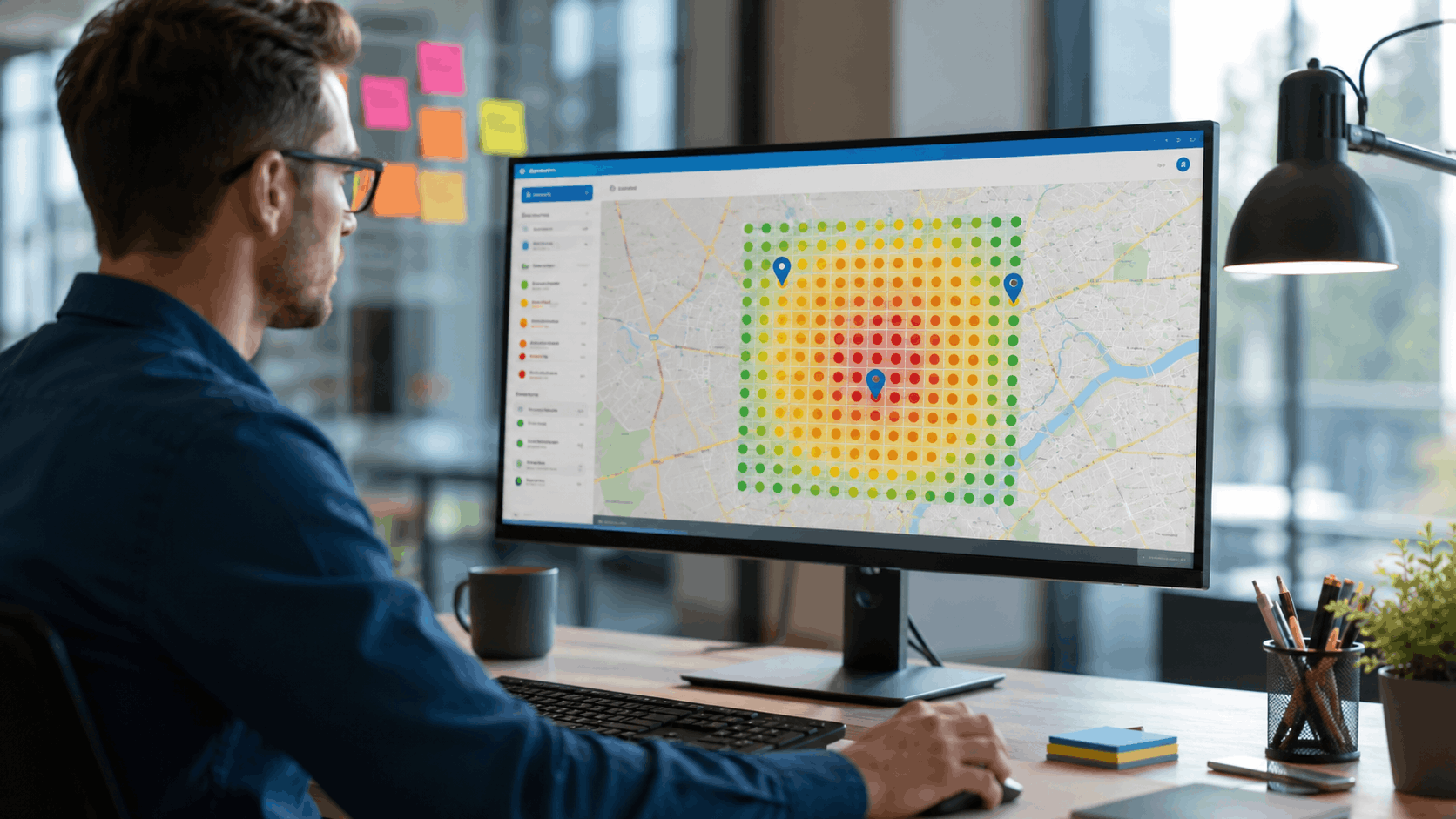
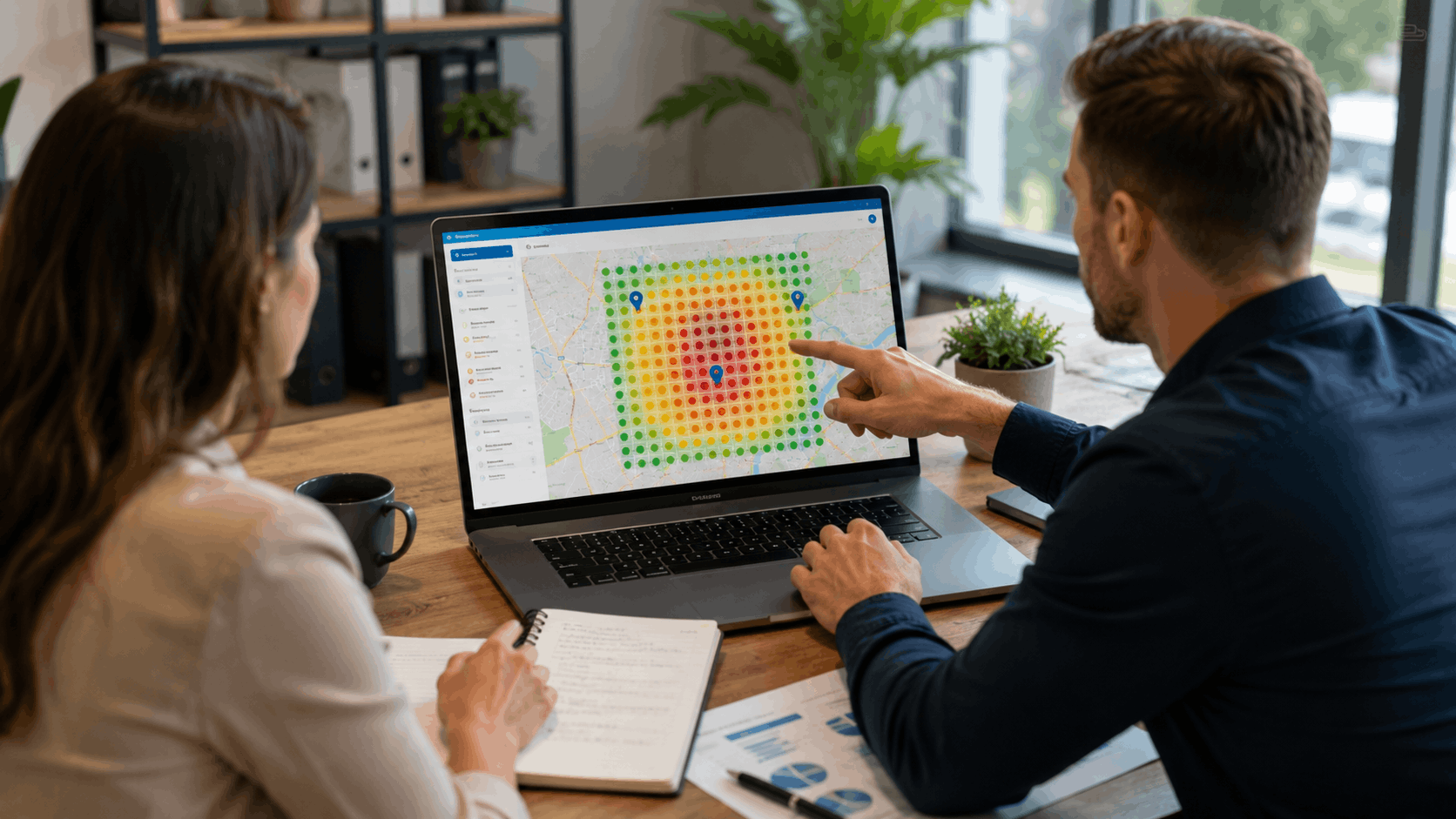
After the scan runs, the rank map displays a color-coded grid over each location's service area. Green points mean strong local pack positions (usually top 3). Yellow indicates moderate rankings. Red flags weak visibility where customers are unlikely to find the business at all.
The first thing to look for is geographic patterns. If all the red grid points cluster on the north side of town or along a specific highway corridor, that is a signal - not random noise. Strong results near a competitor's weaker zones reveal expansion opportunities. Weak results near a competitor's Google Business Profile location show where their proximity advantage is winning.
Spotting Ranking Gaps Between Locations on the Map
Ranking gaps show up as sudden color changes on the grid. A restaurant group might rank #2 across the Lakeview area but disappear near the Eastgate shopping center just two miles away. These gaps usually trace back to a few causes: a competitor with a closer physical address, weak local citations for that zone, or missing neighborhood-specific content.
Look for gaps that overlap with high-value customer areas. A ranking drop near a busy shopping district or a growing residential development matters more than a gap near an industrial park. According to Semrush's local SEO research, proximity to the searcher remains one of the top three ranking factors in the local pack, which explains why these gaps form so predictably.
Comparing Location Performance Side by Side
Pull up two or more locations on the same dashboard and compare their average rank, visibility coverage, and keyword performance. A franchise with locations on Elm Street and near the Westfield mall should be able to see at a glance which one dominates locally and which one needs attention.
Look for discrepancies that do not match business fundamentals. If the Elm Street location has more reviews, better hours, and a fresher GBP profile but still ranks worse than the Westfield location, something else is at play - maybe a stronger competitor cluster near Elm Street or a local link advantage the Westfield location has. Side-by-side comparison turns vague hunches into specific next steps.
Identifying Competitor Overlap on Your Rank Map
Most rank map tools let users add competitor Google Business Profiles to the same grid scan. If a competitor sits at the intersection of Pine and 4th Avenue, their proximity advantage radiates outward from that point. The rank map shows exactly how far that influence extends into the mapped area.
This data is gold for competitive planning. When a rank map reveals that a competitor outranks the business at 30 of 49 grid points in one zone, that zone needs targeted work - more reviews mentioning that neighborhood, a landing page for that area, or citations from local sources. The competitor link analysis feature in Vouch Local shows exactly where rivals are earning backlinks, making it easier to close the gap.
See where you rank - block by block.
Vouch Local maps your local rankings across every neighborhood and shows you exactly who wins each area. Start free, no credit card required.
How Agencies Use Rank Maps to Manage Clients Across Multiple Locations
Agencies juggling 10 or 50 clients - each with multiple locations - need a system that scales without creating chaos. Rank maps become the backbone of local SEO management when organized properly. The workflow looks like this: set up each client's locations, run initial scans, identify problem areas, execute fixes, and rescan to prove progress.
Tools like Vouch Local's multi-location rank map handle this at scale with grouped dashboards, automated scans, and exportable reports. Here is how the platform stacks up for agency needs:
| Agency Need | Vouch Local Feature | How It Helps |
|---|---|---|
| Multi-client organization | Grouped dashboards by client and location | No lost rank maps in a crowded interface |
| Recurring scans | Scheduled weekly or bi-weekly automated scans | Catches ranking shifts before clients notice |
| Client reporting | Exportable rank map snapshots and PDF reports | Visual proof of progress, not just spreadsheets |
| Competitor tracking | Competitor GBPs added to same grid | Shows exactly where rivals win and lose |
| Content and link gaps | Content gap discovery and competitor link analysis | Turns rank map data into specific action items |
Organizing Rank Maps by Client and Location Group
When managing dozens of locations, naming conventions save hours. Use a format like "[Client Name] - [City/Neighborhood] - [Location Nickname]" so every rank map is instantly identifiable. For example: "Smith Dental - Austin Riverside - Main Office" and "Smith Dental - Austin Lakeline - North Branch."
Group related locations together so the team can compare them without switching between dashboards. Vouch Local's organized dashboard supports this kind of grouping natively, which keeps things clean even at 100+ locations.
Scheduling Recurring Scans to Track Ranking Changes Over Time
A single rank map scan is a photograph. Weekly or bi-weekly scans create a time-lapse that reveals trends - like a gradual ranking decline near the Cedar Hills subdivision that started right after a competitor launched a review campaign. Without recurring scans, that trend goes unnoticed until the client calls about dropped leads.
Set up automated scans for all active client locations. Weekly frequency works for competitive markets like legal services or home repair. Bi-weekly or monthly scans work for less competitive niches. Trigger an immediate rescan after any major Google update or GBP change, as referenced in Google's own search ranking updates documentation.
Using Rank Map Snapshots in Client Reporting
Nothing sells ongoing SEO services like a visual before-and-after. Export last month's rank map next to this month's rank map and the story tells itself - red zones turning green, average rank dropping from 8.4 to 3.1. No spreadsheet delivers that kind of impact in a client meeting.
Vouch Local's reporting features let agencies pull rank map visuals directly into client reports with a few clicks. Include the map, the average rank trend line, and a short list of actions taken since the last report. This workflow turns rank map data into a clear narrative that justifies the agency's value every single month.
Common Mistakes When Mapping Multiple Locations on a Rank Map
Even experienced SEO professionals fall into patterns that reduce the value of their rank map data. The three most frequent mistakes involve grid configuration, keyword selection, and inaction after the scan. Each one is fixable with a small adjustment.
Using the Same Grid Size for Every Location Regardless of Area Type
A one-size-fits-all grid approach creates problems. A location in a dense urban neighborhood - where competitors sit every two blocks along a busy corridor like South Congress - needs a tighter grid (7x7, 2-3 mile radius) to capture block-by-block variation. A rural location where the nearest competitor is 15 miles away needs a wider grid (13x13, 10-15 mile radius) to cover the full service territory.
Here are specific recommendations:
- Dense urban: 5x5 or 7x7 grid, 1.5-3 mile radius
- Suburban: 7x7 or 9x9 grid, 4-8 mile radius
- Rural: 9x9 or 13x13 grid, 10-20 mile radius
Misconfiguring the grid either clusters all data points in a tiny area or spreads them so thin that neighborhood-level patterns disappear.
Tracking Too Many Keywords and Losing Focus
Tracking 50 keywords per location feels thorough but creates noise. When every scan returns thousands of data points across dozens of terms, real patterns get buried. A rank map showing weakness for "24 hour locksmith" matters more than one showing weakness for "locksmith history" - but both get equal weight in a bloated keyword list.
Start with 5-10 high-intent terms per location. These are the phrases customers actually type when they are ready to take action: "emergency AC repair," "dentist open Saturday," "divorce lawyer free consultation." Add more terms later once the initial data is clear and actionable.
Ignoring Rank Map Data and Failing to Take Action
The biggest waste of a rank map subscription is running scans and never doing anything with the results. If the map shows weak visibility near the Brookside neighborhood, that is a direct signal to act - update the GBP, build citations from Brookside-area sources, or create a landing page about services in that area.
Tie every red zone on the map to a specific action item. Assign it to a team member with a deadline. Rescan in 30 days to measure progress. Data without action is just an expense.
See where you rank - block by block.
Vouch Local maps your local rankings across every neighborhood and shows you exactly who wins each area. Start free, no credit card required.
How to Improve Rankings at Weak Grid Points After Mapping Multiple Locations
Once the rank map identifies weak spots, the real work begins. Moving rankings at specific grid points requires targeted actions that strengthen local signals in those geographic areas. Here are the three most effective approaches.
Updating Google Business Profile Signals for Underperforming Locations
GBP changes often produce the fastest results. For underperforming locations, verify that primary and secondary categories match what customers actually search for. Add detailed service descriptions that mention specific neighborhoods - "serving the Cedar Hills and Brookside areas" - not just the city name.
Post weekly GBP updates with geo-relevant content: photos tagged to the location, mentions of local events or landmarks, and responses to reviews that reference neighborhood names. According to Google's own guidelines for Business Profiles, accurate and complete profiles perform better in local results. These small changes can shift grid point rankings within two to four weeks. Use Vouch Local's listing management to keep all profile details consistent across locations.
Building Local Links and Citations in Weak Coverage Areas
If a rank map shows poor visibility near the Eastgate area, look for link and citation sources rooted in that zone. Local chambers of commerce, neighborhood association websites, community event pages, and area-specific business directories all send geographic relevance signals to Google.
A roofing company that sponsors a Little League team in the Lakeview district and gets listed on that league's website builds a genuine local signal for that area. Vouch Local's competitor link analysis shows where rival businesses earn their backlinks, and the automated outreach tools speed up the process of contacting those same sources.
Creating Neighborhood-Specific Content to Fill Coverage Gaps
Publishing pages about specific neighborhoods pulls rankings toward weak grid points. A roofing company with poor visibility near Cedar Hills could publish a page titled "Common Roofing Issues for Homes in the Cedar Hills Subdivision" that discusses the building materials and roof styles typical in that area, seasonal storm damage patterns, and local HOA requirements.
Blog posts work too - "Why Homeowners Near Brookside Park Choose Metal Roofing" targets both a geographic term and a service term. Vouch Local's content gap discovery feature identifies the exact topics and terms that competitors cover but the business does not, making it clear where to start writing.
Tools That Make It Easy to Map Out Multiple Locations on a Rank Map
Several tools support multi-location rank mapping, each with different strengths. Here is a comparison of the most popular options for businesses and agencies:
| Tool | Multi-Location Support | Competitor Tracking | Automated Scans | Best For |
|---|---|---|---|---|
| Vouch Local | Yes - grouped dashboards | Yes - with link analysis | Yes - weekly/bi-weekly | Small businesses and agencies needing AI-powered tracking plus outreach |
| BrightLocal | Yes | Yes | Yes | Agencies focused on reporting |
| Local Falcon | Yes | Limited | Yes | Quick single-location scans |
| Whitespark | Yes | Limited | Yes | Citation-focused workflows |
For a deeper look at how these tools compare, check Vouch Local's comparison pages for BrightLocal and Whitespark.
What to Look for in a Multi-Location Rank Mapping Tool
The features that matter most for multi-location rank mapping include adjustable grid sizes, the ability to track dozens of locations without switching tools, competitor GBP tracking on the same grid, historical data storage for trend analysis, scheduled recurring scans, and exportable visual reports.
Free tools work fine for a single location with casual monitoring. But once a business or agency manages three or more locations in a competitive market, free tools hit limitations fast - restricted grid sizes, no automation, and no competitor data. That is when a paid tool pays for itself in time saved and insights gained.
How Vouch Local Handles Multi-Location Rank Mapping
Vouch Local's platform lets users add multiple locations from one dashboard, set custom grid sizes for each, and run scans on a schedule. The AI-powered Scout feature identifies where each location is strong or weak, while competitor link analysis and content gap discovery turn rank map data into a concrete action list.
For agencies, the grouped dashboard organizes everything by client and location. Reports pull rank map visuals automatically. The email assistant handles outreach for local link building. It is a single platform that covers tracking, analysis, and execution without bouncing between five different tools. See the full feature set on the features page or explore pricing options.
Free vs. Paid Rank Mapping Options and When to Upgrade
Free rank map tools - and free tiers of paid tools - work for checking a single location's visibility once or twice a month. If someone runs one pizza shop and just wants a general sense of local rankings, a free scan from a tool like Vouch Local's free local snapshot does the job.
Upgrade to a paid plan when any of these apply: managing more than two locations, needing competitor tracking on the grid, requiring automated recurring scans, or producing client reports with visual proof of progress. In competitive markets where a single lost ranking position means lost revenue, the cost of a paid tool is a fraction of what that lost business costs.
See where you rank - block by block.
Vouch Local maps your local rankings across every neighborhood and shows you exactly who wins each area. Start free, no credit card required.
Final Thoughts
Mapping out multiple locations on a rank map transforms local SEO from guesswork into a clear, visual process. Every grid point tells a story about where a business shows up - and where it does not. The businesses and agencies that run these scans, read the data carefully, and act on the weak spots are the ones that consistently grow their local visibility across every neighborhood they serve. Start with the highest-priority locations, configure the grids correctly, track the right terms, and turn red zones into green ones with targeted action.
Frequently Asked Questions About Mapping Multiple Locations on a Rank Map
How many locations can I track on a single rank map?
Most tools allow tracking dozens or even hundreds of locations, but each location requires its own grid. There is no single map that covers all locations at once - each one gets its own scan. Vouch Local's multi-location rank map organizes these with grouped dashboards so agencies managing 50+ locations can find any grid in seconds.
What grid size should I use to map out multiple locations on a rank map?
Use a 5x5 or 7x7 grid for dense urban areas where competitors are close together. A 9x9 grid suits suburban zones, and 13x13 works for rural or wide service areas. The scan radius in miles interacts with grid density - a 7x7 grid over a 3-mile radius gives tight, accurate data, while the same grid over 15 miles spaces points too far apart to catch neighborhood-level variation.
How often should I run rank map scans for multiple locations?
Weekly scans work best for competitive markets like legal, dental, or home services. Bi-weekly or monthly scans are fine for less competitive niches. Any time Google rolls out a major update or the business changes its GBP profile, run an immediate rescan to see the impact.
Can I track competitors on the same rank map as my locations?
Yes. Most rank map tools, including Vouch Local, allow adding competitor Google Business Profiles to the same grid. The scan shows both the business's ranking and the competitor's ranking at every grid point, revealing exactly where the rival wins and where the business holds the advantage.
Why do my rankings look different at grid points just a mile apart?
Google's local algorithm weighs proximity to the searcher heavily. A one-mile shift in searcher location can push a different business into the top 3 based on which GBP is physically closer. Competitor density, NAP consistency, review counts, and even the specific categories each nearby business uses all contribute to these grid-point-level differences.
Do I need a separate Google Business Profile for each location I map?
Each physical business location should have its own GBP listing per Google's guidelines. Service-area businesses without storefronts can still be mapped - the rank map centers on the address or service area defined in the profile. Mapping a location without a corresponding GBP is possible but less actionable since there is no listing to improve.
How long does it take to see ranking improvements after acting on rank map data?
GBP changes like category updates and new photos can show results in days to two weeks. Local link building and citation work typically takes 4-8 weeks to affect rankings. Neighborhood-specific content can start pulling results within 3-6 weeks depending on the competition level. Run follow-up scans at the 30- and 60-day marks to measure progress accurately.
Can rank maps track Google Maps rankings and regular organic results separately?
Most rank map tools focus on local pack and Google Maps rankings, which is where multi-location tracking delivers the most value for brick-and-mortar and service-area businesses. Some tools also track organic web results, but those are less location-sensitive. For businesses that depend on the local pack - restaurants, contractors, medical practices - the Maps-focused data matters most.
Is mapping multiple locations on a rank map worth it for a single-location business?
Absolutely. A single-location business benefits because the rank map shows how far visibility extends geographically. A bakery might rank #1 within a two-mile radius but disappear at three miles, revealing an opportunity to expand reach through content, links, and reviews that reference those outer neighborhoods.
What is the difference between a rank map and a heatmap in local SEO?
The terms are used interchangeably by most professionals and tools. Both refer to a grid-based visual showing ranking positions across a geographic area. Some platforms call them rank grids, geo-grids, or local heatmaps. The underlying concept is the same: simulate searches from multiple points and display the results as a color-coded map.
