Local search rankings shift dramatically across neighborhoods - sometimes even across a few streets. A business might dominate search results near downtown but disappear entirely two miles away in a residential corridor. Maybe a plumber ranks number one near the Westside business district but drops to position twelve in the suburban developments east of the interstate. These gaps are not random. They follow patterns driven by proximity, content, links, and Google Business Profile signals.
This article walks through the exact steps to find out why competitors outrank you in one neighborhood but not another, and what to do about it. Every section includes specific tactics, not just theory.
- 01How Grid-Based Rank Tracking Reveals Neighborhood-Level Gaps
- 02Google Business Profile Signals That Shift Rankings by Location
- 03Competitor Link Profiles That Dominate Certain Neighborhoods
- 04Using Automated Local Outreach to Close the Gap in Lagging Areas
- 05Content Gaps That Let Competitors Own Neighborhood Search Results
- 06On-Page Signals and Schema Markup That Reinforce Local Relevance
- 07Monitoring Shifts Over Time So Competitors Do Not Regain Ground
- 08Final Thoughts
- 09Frequently Asked Questions
How Grid-Based Rank Tracking Reveals Neighborhood-Level Gaps
Most businesses check their local rankings by searching their main keyword once and seeing where they land. That single search only shows results for one point on a map. Grid-based rank tracking changes the picture entirely by plotting rankings across dozens or hundreds of points spread across a real geographic area.
Think of it like checking your cell signal at one spot versus mapping signal strength across your whole service area. A geo-grid shows where a business is visible, where it fades, and where competitors take over - block by block, neighborhood by neighborhood.
| Tracking Method | What It Shows | Limitation |
|---|---|---|
| Single-point rank check | One ranking position for one location | Misses neighborhood-level variation |
| City-wide average | Blended ranking across a metro | Hides strong and weak zones |
| Grid-based rank tracking | Rankings at every point on a geographic grid | Requires proper grid configuration |
Setting Up a Geo-Grid That Matches Your Real Service Area
A geo-grid should reflect actual neighborhoods and service boundaries, not arbitrary city limits. If a landscaping company serves everything between Oak Park and the riverfront but never takes jobs south of Highway 9, the grid should match that footprint.
Grid density matters too. In high-value zones - say, the downtown corridor around Main Street where commercial clients cluster - set a tighter grid with points every half mile. In peripheral residential areas where jobs are less frequent, a wider spacing of one to two miles works fine.
Vouch Local lets businesses configure grids this way without manual guesswork. The platform maps grid points to real neighborhoods so results are immediately actionable.
Reading Your Grid Results to Spot Weak Zones
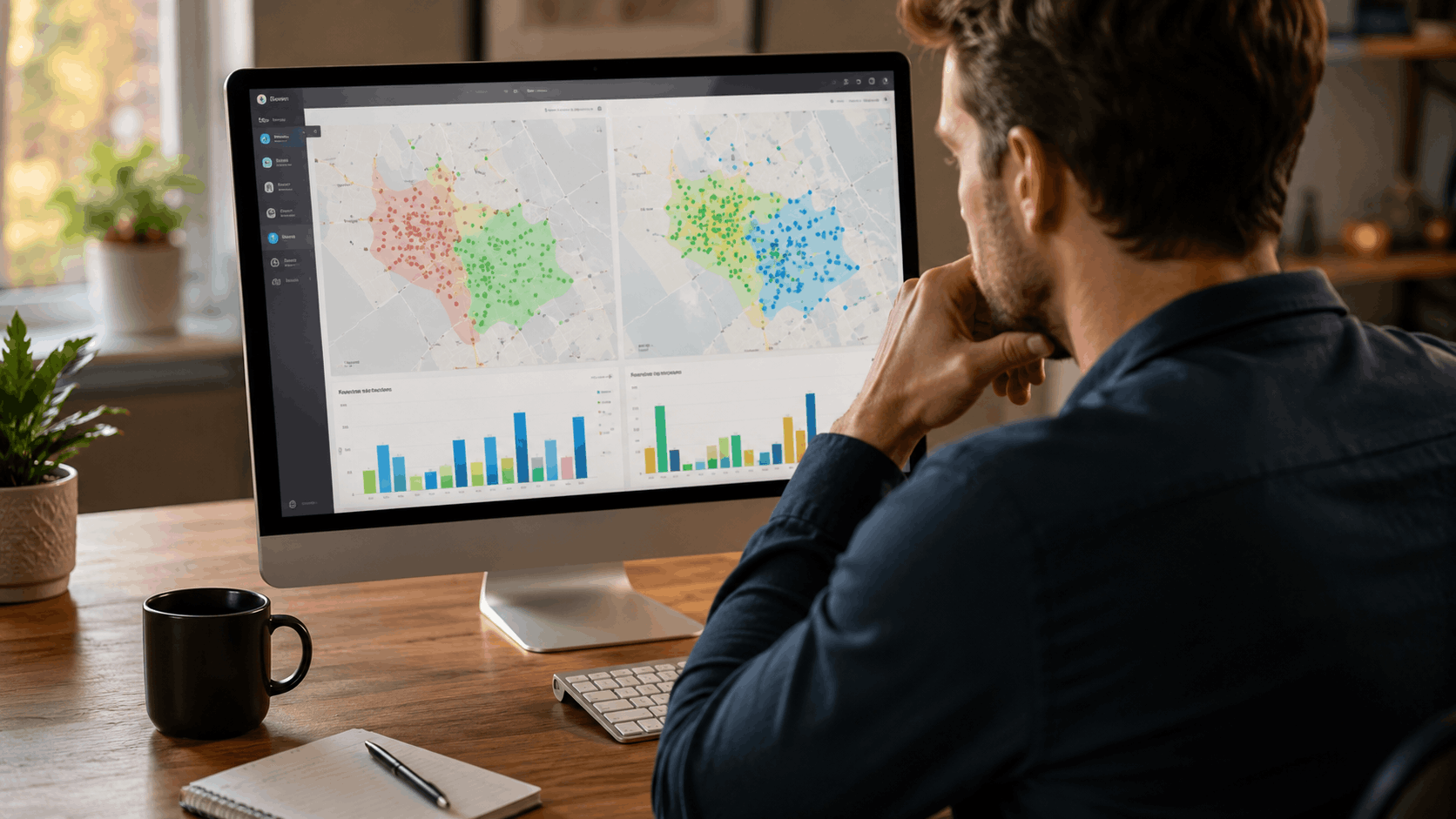
Grid results typically display as color-coded maps. Green means ranking in positions one through three. Yellow means positions four through seven. Red means position eight or lower - or not ranking at all.
Look for clusters of red or yellow. If a tight group of weak points appears around the Elm Ridge neighborhood while everything near downtown glows green, that cluster is a priority target. The next step is figuring out whether the drop is proximity-driven (a competitor is physically closer to those searchers) or caused by content and authority gaps the business can fix.
Comparing Your Grid Against a Competitor's Footprint
Running a grid for a business shows one side of the story. Running the same grid for a top competitor reveals the other side. Overlaying both grids exposes exactly which neighborhoods a competitor owns and where the two businesses trade positions.
Doing this manually - searching at dozens of points, recording results, comparing spreadsheets - takes hours. Vouch Local automates this competitor grid comparison so a business can see the overlap and divergence in minutes. The output is a clear map showing where to focus effort for the biggest gains.
Google Business Profile Signals That Shift Rankings by Location
A competitor's Google Business Profile might carry stronger neighborhood-specific signals than yours. These signals go beyond just having a closer address. Review content, category choices, and service descriptions all influence which business Google surfaces for searchers in different parts of a city.
| GBP Signal | How It Affects Neighborhood Rankings | Can You Influence It? |
|---|---|---|
| Physical address proximity | Strongest factor for nearby searches | Only by adding a location |
| Review content with geo terms | Adds relevance for specific areas | Yes - through customer guidance |
| Primary and secondary categories | Matches business to local search intent | Yes - through GBP settings |
| Service descriptions | Reinforces relevance for area-specific queries | Yes - through GBP edits |
How Business Address Proximity Impacts the Map Pack
Google's local algorithm weighs the physical distance between the searcher and the business. A dentist located on Cedar Avenue in the Hillcrest neighborhood will almost always outrank a dentist three miles away in Midtown for searchers standing on Cedar Avenue. That proximity advantage is real, and for some queries - especially generic ones like "dentist near me" - it dominates.
For service-area businesses without a storefront, this is trickier. Setting a service-area designation in GBP tells Google where the business operates, but it does not carry the same weight as a physical pin on the map. Opening a second location in a target neighborhood can change the equation, but only if the business can support a real presence there.
Review Content That Mentions Specific Neighborhoods
Reviews that mention specific neighborhoods, streets, or landmarks act as geo-relevance signals. A review saying "They fixed our roof on Birchwood Lane in the Lakeview subdivision" tells Google that this business is relevant to Lakeview-area searches.
Encouraging this kind of detail does not mean scripting reviews. Instead, ask customers something like: "Would you mind mentioning the neighborhood where we did the work? It helps other neighbors find us." That simple prompt often produces naturally location-rich reviews without violating Google's review guidelines.
Category Selection and Service Descriptions by Area
A competitor's primary GBP category might match the dominant search intent in a given neighborhood better than yours. In a commercial district, searchers might look for "commercial cleaning service" while residential neighborhoods generate searches for "house cleaning service." If a competitor picked the category that matches the neighborhood's typical queries, they have an edge there.
Audit this by pulling the top search queries for each neighborhood where rankings lag. Compare those queries against your GBP categories and service descriptions. If there is a mismatch, adjust your categories or add services that align with what people in that area actually search for.

Competitor Link Profiles That Dominate Certain Neighborhoods
Links from neighborhood-specific sources give competitors a geographic authority boost that generic city-wide links cannot match. A backlink from the Riverside Community Association or the Maplewood Farmers Market newsletter tells Google that a business has roots in those specific areas.
Auditing a competitor's backlink profile for these hyper-local links reveals why they rank in neighborhoods where the business does not. It also reveals a playbook the business can follow.
Finding Neighborhood-Specific Backlinks Your Competitor Has
Start by pulling a competitor's link profile using a tool like Ahrefs or Moz. Filter the results for referring domains that include neighborhood names, community organizations, or local event pages. Look for links from HOA newsletters, school booster club sites, local blog roundups, and community directories.
Vouch Local's competitor link analysis surfaces these patterns quickly by flagging links from geo-specific sources. Instead of scrolling through hundreds of backlinks, the platform highlights the ones tied to specific neighborhoods so a business can see exactly where a competitor's local link advantage comes from.
Local Sponsorships, Directories, and Citations That Create Geo-Authority
Sponsoring a little league team in the Greenfield neighborhood, getting listed in the Northside Business Alliance directory, or earning a mention on the Brookhaven community festival page - these are the types of links that create geo-authority. Each one tells Google that the business has a real connection to that specific area.
In neighborhoods where rankings lag, look for these opportunities: youth sports leagues, PTA fundraiser pages, neighborhood watch sites, farmers markets, and local charity events. Even a $50 sponsorship that results in a link from a neighborhood organization's website can move the needle in that grid zone.
Building a Backlink Plan Targeted at Your Weakest Grids
Match link-building effort to the grid zones that show the biggest gaps and the highest revenue potential. If the Westlake neighborhood has high search volume for your services and your grid shows you ranking seventh or lower there, that is where outreach dollars should go first.
A simple framework: rank your weak grid zones by estimated monthly searches multiplied by average job value. The zones with the highest revenue potential get outreach priority. Then identify two to three link targets in each priority zone and pursue them over the next quarter.
See where you rank - block by block.
Vouch Local maps your local rankings across every neighborhood and shows you exactly who wins each area. Start free, no credit card required.
Using Automated Local Outreach to Close the Gap in Lagging Areas
Once the business knows which neighborhoods need attention, the next step is reaching out to local organizations, bloggers, and business owners in those specific areas. Manual outreach - finding contacts, writing emails, following up - eats hours. Automated outreach tools cut that time dramatically while still producing genuine connections.
Identifying Outreach Targets in Your Weakest Neighborhoods
Build a prospect list of neighborhood blogs, community Facebook groups, local business associations, and event organizers tied to the areas where grid rankings lag. For example, if the Eastgate corridor is a weak zone, search for "Eastgate community blog," "Eastgate business association," and "Eastgate neighborhood events."
Vouch Local's automated local outreach generates and manages these lists by matching prospects to specific grid zones. The platform pulls contact information and categorizes targets by neighborhood so outreach stays focused on the areas that matter most.
Crafting Outreach Messages That Get Responses from Local Sources
Generic link requests get ignored. Messages that reference specific neighborhood details get responses. Instead of "We'd love a link from your site," try something like: "We just wrapped up a project on Sycamore Drive and wanted to see if your Eastgate community roundup accepts local business submissions."
Keep emails short - three to four sentences. Mention something specific about their site or organization. Offer genuine value, like a free resource for their readers or a contribution to an upcoming event. Authenticity and mutual benefit are what make local outreach work.
Tracking Outreach Results Against Grid Ranking Improvements
Every new link, mention, or citation earned through outreach should be logged alongside the target neighborhood. Then compare grid scans from before and after outreach activity. Did the ranking at grid points near the Eastgate corridor move from position nine to position five after earning two links from Eastgate-area sources?
Realistic timelines: most businesses see measurable grid improvements within eight to twelve weeks of focused outreach in a specific neighborhood. If results stall after that window, revisit whether the links earned are from authoritative enough sources or whether other factors - like content gaps - still need attention.

Content Gaps That Let Competitors Own Neighborhood Search Results
If a competitor has a landing page about serving the Oak Park neighborhood and the business does not, the competitor will likely rank there. Content gaps at the neighborhood level are one of the most fixable reasons for ranking differences. A business that creates genuinely useful area-specific pages can close the gap faster than almost any other tactic.
Running a Neighborhood-Level Content Gap Audit
Compare the business's existing pages against competitors' pages. List every neighborhood or area-specific page the competitor has, then check whether the business has an equivalent. If a competitor has pages for Lakeview, Hillcrest, Maplewood, and Greenfield but the business only covers "the greater metro area," those missing pages are the content gaps.
Vouch Local's content gap discovery tool automates this by crawling competitor sites and mapping their geographic content. The output is a list of neighborhoods where competitors have dedicated content and the business does not.
Creating Location Pages That Actually Rank and Convert
A good neighborhood service page goes far beyond swapping a city name in a template. Mention local landmarks - "two blocks from Lincoln Park" or "serving the homes along Ridgeway Boulevard." Reference common area-specific problems: "Older homes near Brookhaven often have galvanized pipes that need replacement."
Include real project examples from that neighborhood, with details about the work performed. Add photos taken in the area. Link to relevant local resources. These details make the page genuinely useful to someone searching from that neighborhood, and Google recognizes that relevance.
Avoiding Thin or Duplicate Location Pages That Hurt Rankings
Creating dozens of near-identical pages with only the neighborhood name changed is a recipe for trouble. Google's spam policies specifically address thin and duplicated content, and pages that differ only by a location name can trigger quality filters.
Each neighborhood page should have unique content: different project stories, different local references, different photos, and different details about the specific challenges properties in that area face. If a business cannot write at least 400 words of genuinely unique content about serving a particular neighborhood, it is better to combine nearby areas into one stronger page.
See where you rank - block by block.
Vouch Local maps your local rankings across every neighborhood and shows you exactly who wins each area. Start free, no credit card required.
On-Page Signals and Schema Markup That Reinforce Local Relevance
Beyond content itself, technical on-page elements - title tags, headers, internal links, and structured data - affect how Google associates a page with a specific area. These are the finishing touches that can tip rankings in neighborhoods where the business is close to competing but not yet winning.
| On-Page Element | Geo-Signal It Sends | Example |
|---|---|---|
| Title tag with neighborhood | Primary relevance for area-specific queries | "Roof Repair in Lakeview - [Business Name]" |
| H1 with geo-modifier | Reinforces topic and location | "Lakeview Roof Repair Services" |
| LocalBusiness schema with areaServed | Machine-readable location data | areaServed: "Lakeview, Hillcrest, Eastgate" |
| Internal links from city hub page | Passes authority to neighborhood pages | City page links to each neighborhood subpage |
Title Tags, H1s, and Meta Descriptions with Geo-Modifiers
Incorporate neighborhood names naturally into title tags and H1s. "Plumbing Repair in the Westlake Neighborhood" reads better than "Westlake Plumbing Repair Plumber Westlake." Avoid stuffing multiple neighborhood names into a single title tag. One area per page keeps things clean.
Test different geo-modifiers to see which ones match actual search behavior. Some neighborhoods are known by official names, others by informal names locals use. Check Google's autocomplete suggestions for the area to find the terms real people type.
LocalBusiness Schema and Service Area Markup
Implementing LocalBusiness schema with areaServed properties tells search engines exactly which neighborhoods a business covers. List specific neighborhoods rather than just a city name. For a single-location business, use the LocalBusiness type with areaServed set to each target neighborhood.
Service-area businesses that travel to customers should use the service-area business schema variant, which omits the street address from search results while still specifying the geographic coverage. This distinction matters for how Google treats the listing in the map pack across different neighborhoods.
Internal Linking Structures That Pass Geo-Relevance Between Pages
A hub-and-spoke internal linking structure works well for geographic content. The hub is a strong city-level service page. The spokes are individual neighborhood pages. Each spoke links back to the hub, and the hub links out to each spoke with descriptive anchor text like "roof repair in Hillcrest" or "our Eastgate plumbing services."
This structure passes authority from the city page down to neighborhood pages and reinforces the geographic relationship between them. When one neighborhood page earns a backlink, some of that authority flows through internal links to related pages, lifting the whole cluster.

Monitoring Shifts Over Time So Competitors Do Not Regain Ground
Fixing ranking gaps once is not enough. Competitors adjust their strategies, Google updates its algorithm, and new businesses enter the market. Ongoing monitoring catches new neighborhood-level ranking drops early so the business can respond before losing ground that took months to gain.
Setting Up Weekly Grid Scans and Rank Alerts
Configure weekly geo-grid scans for all target neighborhoods. Set automated alerts that flag when a competitor gains two or more positions in any grid zone. This early warning system lets a business react within days rather than discovering a problem months later.
Vouch Local automates this with scheduled grid tracking reports delivered by email. Each report highlights zones where rankings improved, held steady, or declined, so the business can focus its attention on the areas that need it most.
Watching for Competitor GBP and Content Changes
Competitors do not stand still. They add new location pages, update their GBP categories, earn new backlinks, and collect new reviews. Monitoring these changes does not require hours each week. Set a Google Alert for the competitor's business name plus target neighborhood names. Check their GBP listing once a month for category or description changes.
When a competitor publishes a new neighborhood page or earns a local backlink, that is a signal to respond with matching or stronger content and outreach in that area.
Adjusting Your Strategy Based on Quarterly Grid Trends
Every three months, pull grid data from the full quarter and compare it against the previous period. Look for patterns: Are gains in Lakeview holding? Has the Eastgate corridor improved but plateaued at position five? Did a new competitor emerge in the Northside zone?
A simple quarterly review framework: list each target neighborhood, note the average ranking change over the quarter, identify which tactics produced the most movement, and reallocate resources toward the zones with the best remaining opportunity. This rhythm keeps the strategy responsive without requiring constant overhauls.
See where you rank - block by block.
Vouch Local maps your local rankings across every neighborhood and shows you exactly who wins each area. Start free, no credit card required.
Final Thoughts
Neighborhood-level ranking differences are not mysterious once a business has the right data. Grid-based rank tracking exposes exactly where gaps exist. GBP signals, backlinks, content, and on-page markup each contribute to why a competitor wins in one part of town and loses in another. The fix is not one big move - it is a series of targeted adjustments aimed at specific grid zones.
Businesses that treat local SEO as a neighborhood-by-neighborhood effort rather than a city-wide checkbox will consistently outperform those that do not. The tools and tactics described here - from geo-grid scans to automated outreach to location-specific content - turn the question of how to find out why competitors outrank you in one neighborhood but not another into a clear, repeatable action plan.

Frequently Asked Questions
Why does my business rank well downtown but not in nearby suburbs?
Google weighs the physical distance between the searcher and your listed business address. The closer a searcher is to your address, the more likely you are to appear in the map pack. Service-area businesses can extend their reach by building neighborhood-specific content, earning local backlinks, and collecting reviews that mention suburban area names.
Can I outrank a competitor who has a physical location in a neighborhood where I do not?
It is possible but difficult. Proximity is a strong signal, so you need to compensate with superior content, more geo-relevant reviews, and stronger backlinks from that neighborhood. Realistic expectation: you can often reach positions three through five but may struggle to consistently hold position one against a physically closer competitor.
Do reviews mentioning specific neighborhoods actually affect rankings?
Yes. Review content with geographic terms serves as a relevance signal to Google. A review mentioning a specific street or neighborhood name reinforces your business's connection to that area. Encourage this naturally by asking customers to mention where the work was done, without scripting their review.
What is a geo-grid and how does it differ from regular rank tracking?
A geo-grid checks your rankings at dozens or hundreds of points spread across a map, rather than a single location. Regular rank tracking gives you one position number for one spot. A geo-grid shows how your ranking varies across an entire service area so you can see exactly where you are strong and where you are weak.
How long does it take to improve rankings in a neighborhood where a competitor currently dominates?
Most businesses see measurable grid improvements within eight to twelve weeks of focused effort, including targeted content creation, local link building, and GBP adjustments. Highly competitive neighborhoods with well-established competitors may take longer. Consistent weekly monitoring helps track progress and adjust tactics.
Can Vouch Local show me exactly where competitors outrank me on a map?
Yes. Vouch Local's grid-based rank tracking and competitor analysis features display ranking differences across neighborhoods on a visual map. The platform overlays your rankings with competitor data so you can see which grid zones they own and where you have the best opportunity to close the gap.